
How to Test Live Sermon Translation Before Sunday
A calm, practical checklist for testing live sermon translation on a weekday: languages, audio, the congregation link, a phone listener, and a bilingual meaning check.
SermonLM Team · · 4 min read
Sunday is a hard time to learn that a guest cannot hear the translation. A short weekday rehearsal gives you room to fix small problems calmly.
This guide describes a simple check you can run with one or two helpers. It is planning advice, not a promise of how any service will go.
If you have not picked a way to translate yet, start with our comparison of church translation system workflows and the page on how SermonLM works for churches and guests.
You can also read what the pastor, guests and tech volunteer each do when a sermon is translated live.
Choose your languages
Decide which language the speaker will use and which languages your guests need. In SermonLM, staff select the spoken (source) language and the target languages.
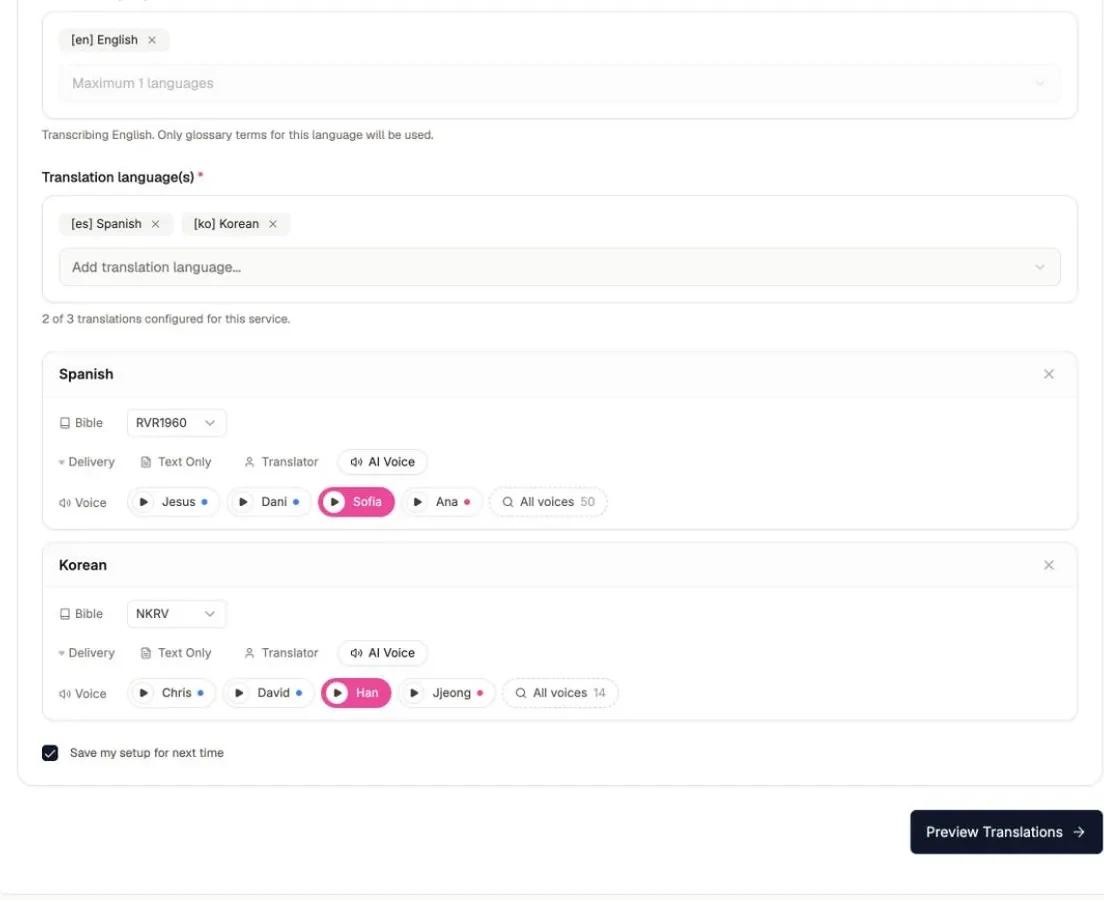
Start small. One target language is easier to check than three.
Use a desktop or laptop as the host
Use the computer you would actually use on Sunday.
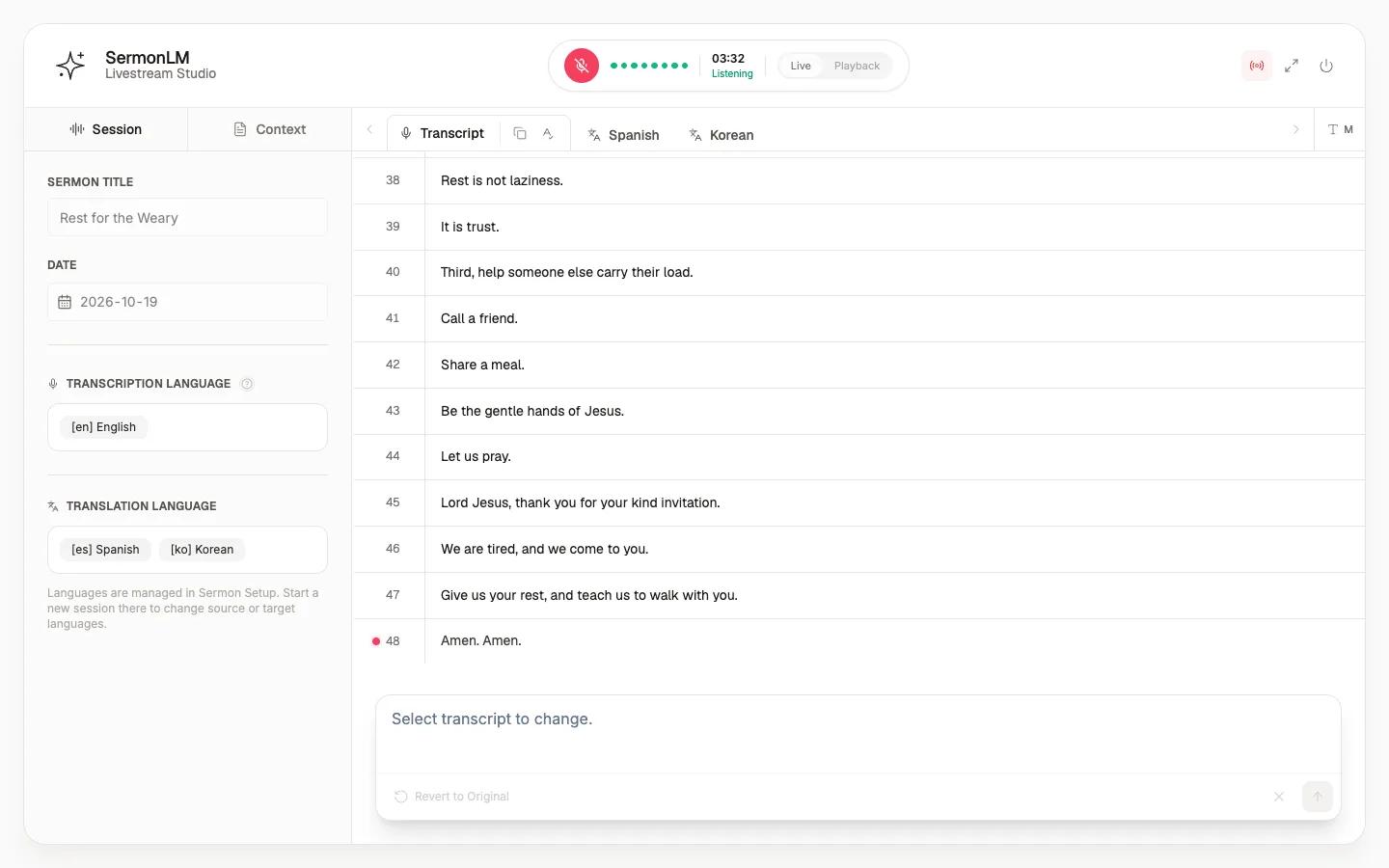
Guests can listen on a phone browser.
Keep the input clean
Check the microphone or connected audio input in your own setup. Every room is different, so do not assume a particular mixer or cable will work until you have tried it.
Ask the speaker to talk at a normal volume from the usual spot. Note any music, echo or side conversations.
Check the AI Voice choice
If you want spoken translation as well as text, select the AI Voice channel option for that language. Do not assume a human-translator channel will generate AI speech on its own.
If text is enough for this first rehearsal, say so and test audio another day.
Share the link or QR code
Share the congregation QR code or link with your helper. Ask them to open it on their own phone and choose a language.
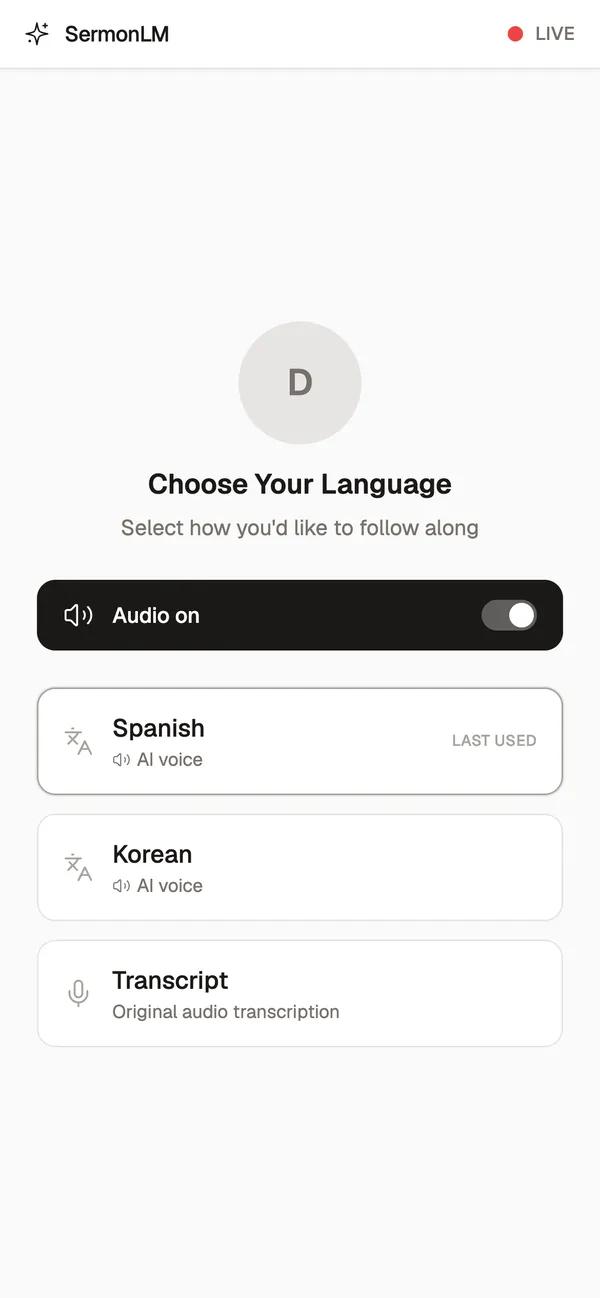
A browser may need a tap before audio can play. Ask your helper to note exactly what they had to do, so you can explain it to guests.
Once your rehearsal shows what guests need to tap, our Sunday welcome kit for live sermon translation gives your greeters words to use at the door and a short phone checklist to share.
Listen like a guest
Ask your helper to wear headphones. This simply avoids disturbing the room while you test. It is a suggestion, not a requirement.
Have the speaker read a short passage that includes a name, a Bible reference and a practical instruction, such as when the offering will be collected.
Check the meaning
Ask a bilingual listener to review what they hear and read. Look at:
- Overall meaning
- People's names
- Bible references
- Practical instructions
AI can make errors. Check whether the meaning is clear enough for your own service.
Make it realistic
Rehearse in the room, with the speaker and equipment you plan to use. Start with a short passage. Then rehearse for longer to check that the setup stays useful as the speaker continues.
If the check does not go well
Decide your fallback before Sunday, not during the service. Some options:
- Fix one thing, then repeat the check on another weekday.
- Offer text only if audio is unreliable.
- Keep your current method for this Sunday and try again later.
- Tell guests plainly what is available.
Next step
Set up a weekday rehearsal. Create a SermonLM account or sign in, then run a short test with a helper before relying on it for a Sunday service.